Code Redemption Guide
Join the group first, then use the Settings menu to claim rewards.
Redeeming promo codes in Build A Blue Lock Squad is straightforward once you know the prerequisites, but many players fail on their first attempt because they skip a mandatory step. This guide walks you through the entire process — from joining The LockerRoom Roblox group to entering codes in the in-game Settings menu — so you can claim every free reroll and refresh available in July 2026.
Before attempting any redemption, make sure you have a list of Working Codes ready. Active codes as of July 2026 include ELUSIVE, OneThousandCCU, and OneThousandMembers, each granting rerolls and refreshes. Expired codes like DUELS and RELEASE will not work regardless of how you enter them — check our Expired Codes page to avoid wasting time.
Step 1: Join The LockerRoom Roblox Group
This is the single most important step and the one most players miss. You must be a member of The LockerRoom Roblox group before any code will redeem successfully. The game checks your group membership server-side when you submit a code.
To join, search for The LockerRoom on Roblox, navigate to their official group page, and click the Join button. Group membership is free. If you recently joined, wait a minute and rejoin the game so your membership syncs before trying to redeem.
Players who skip this step see error messages or simply get no reward. If your code fails, verify group membership before assuming the code expired.
Step 2: Complete the Tutorial and Launch
Open Roblox and launch Build A Blue Lock Squad by The LockerRoom. Complete the short in-game tutorial if you have not already — the Settings menu and code redemption field only unlock after you finish onboarding and reach the main lobby.
Wait until you fully load into the lobby — you do not need to be in a match or cutscene to redeem codes. The redemption menu is accessible from the main lobby screen.
While in the lobby, you can also pick up free rerolls by talking to the Sendou NPC — one of several free reroll methods covered in our Free Rerolls guide. Stack those with code rewards for maximum pulls on day one.
Step 3: Open the Settings Menu
Look at the bottom-left corner of your screen. You will see a Settings icon — tap or click it to open the settings panel. This is where the code redemption field lives.
The Settings menu also contains audio, graphics, and control options. Scroll or navigate within the panel until you find the Codes or Redeem Code section. The exact label may vary slightly between updates, but it has remained in the Settings panel since launch.
If you cannot find the icon, check our Controls Guide for a full UI layout breakdown of every on-screen element.
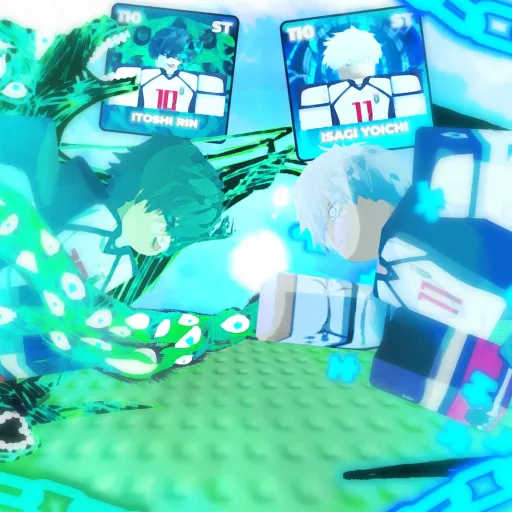
Step 4: Enter and Submit Your Code
Type or paste your code into the text field. Codes are case-sensitive — ELUSIVE is not the same as elusive. Copy codes directly from our Working Codes page to avoid typos.
After entering the code, confirm or press the redeem button. A success notification should appear showing how many rerolls and refreshes you received. If nothing happens, double-check group membership, code spelling, and whether the code has expired.
Step 5: Verify Your Rewards
After a successful redemption, check your reroll and refresh counts in the gacha or squad menu. You should see the exact amounts listed on our codes page — for example, ELUSIVE grants 10 rerolls and 5 refreshes.
Do not spend all rewards immediately. Read our Reroll Strategy guide first to understand when rerolling versus refreshing gives you the best return. Blindly burning rerolls on a low-OVR squad wastes premium currency.
Troubleshooting Common Issues
Code says invalid or expired: The code may have been retired. Cross-reference with our Expired Codes archive. Codes from outdated YouTube videos and social media posts are a common source of confusion.
Code accepted but no rewards: Rejoin the game after joining the Roblox group. Membership sometimes takes a moment to propagate.
Already redeemed: Most codes are one-time use per account. You cannot claim the same code twice.
Game updated recently: After major patches like the ELUSIVES Update, redemption UI occasionally shifts. Check our Updates Hub for any post-patch notes about code systems.
After Redeeming: What to Do Next
With fresh rerolls in hand, consult the Tier List to know which characters to target. Top-tier picks include NEL Isagi, NEL Rin, NEL Nagi, Kaiser, Bachira, Barou, Shidou, Sae, Lavinho, and Kunigami. Use refreshes strategically when your pull pool shows multiple viable options.
For long-term progression, combine code rewards with Daily Quests and the methods in our High OVR Squad Guide. Join the official community through our Discord & Community Links page to get notified the moment new codes drop.
Build A Blue Lock Squad has no official Trello — the Roblox group and Discord are your best sources for live code announcements. Bookmark this page and the Working Codes hub so you never miss a drop.
Frequently Asked Questions
Quick answers to the most common questions.
Where is the code redemption button in Build A Blue Lock Squad?
Open the Settings icon in the bottom-left corner of the screen while in the game lobby, then find the code redemption text field.
Why does my code say it is invalid?
Common causes include not joining The LockerRoom Roblox group, typos in the code, or the code has expired. Verify all three before trying again.
Can I redeem the same code on multiple accounts?
Each code is typically one-time use per Roblox account. You can redeem the same code on different accounts if each account meets the group membership requirement.
Do codes expire?
Yes. Codes like DUELS, RELEASE, and FirstPatch have already expired. Always use our Working Codes page for the latest active list.
Do I need Robux to redeem codes?
No. Promo code redemption is completely free. You only need to be in The LockerRoom Roblox group.
What should I spend my code rerolls on?
Use rerolls to replace your lowest-OVR squad member. Consult the Tier List and Reroll Strategy guide before spending to avoid wasting pulls on low-value characters.